
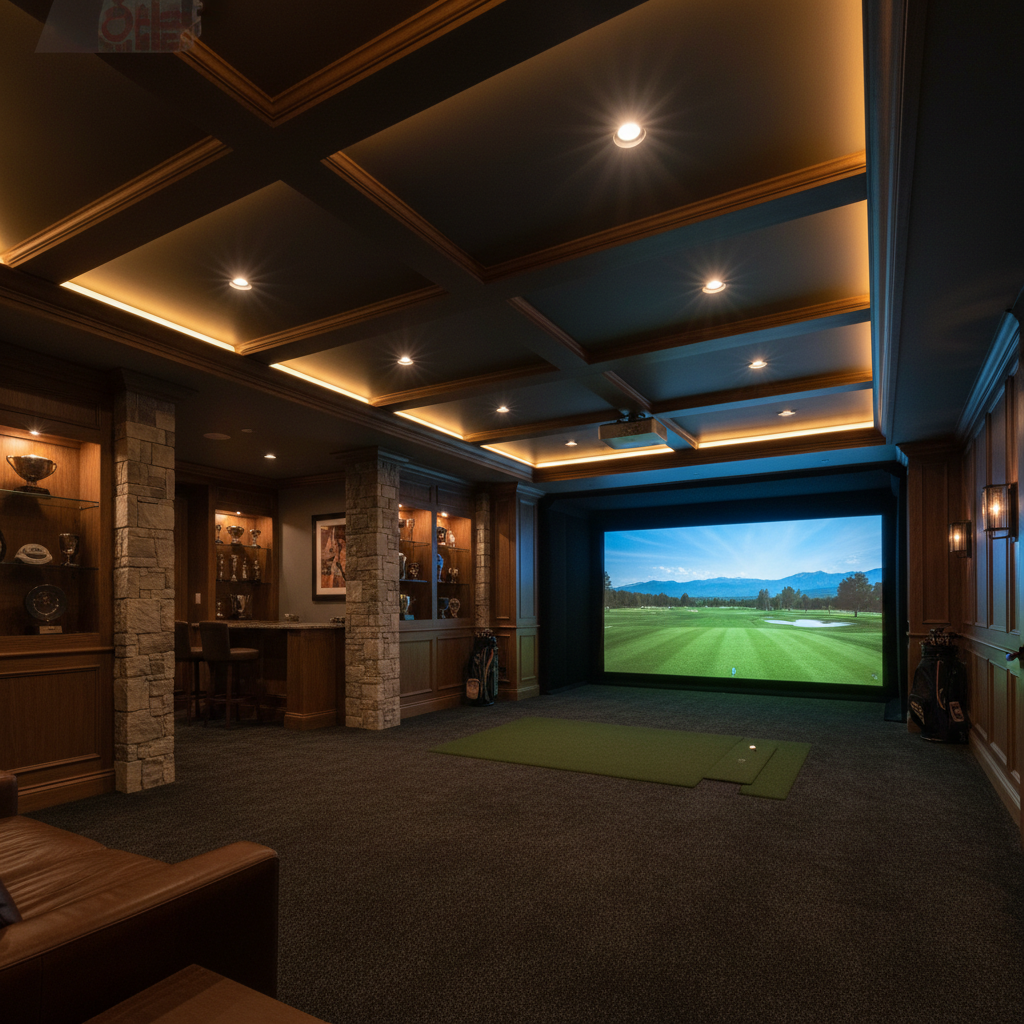
Lighting Your Golf Simulator Room: A Complete Guide
Proper lighting can make or break your simulator experience. Here is how to get it right.
The Projector vs. Light Challenge
Projectors emit light; they cannot produce true black. Any ambient light in your room competes with the projector, washing out dark areas and reducing contrast. This is why movie theaters are dark -- and your simulator room should be too, at least in the projection zone.
The goal is not total darkness (you need to see the ball, your mat, and walk safely) but controlled darkness. You want the area around the screen dark while the hitting area has enough ambient light for comfort and camera-based launch monitors that need to see the ball.
Eliminating Ambient Light
Windows are your primary enemy. Blackout curtains ($30-$80 per window) or cellular blackout shades ($50-$150 per window) are essential. Even small amounts of window light dramatically reduce projected image contrast, especially during daytime use.
Seal gaps around doors with weather stripping if light bleeds in from adjacent rooms. A door sweep at the bottom costs $10 and makes a noticeable difference.
Paint the walls surrounding the screen in dark matte colors -- charcoal, navy, or dark gray. Glossy or light walls reflect projected light back onto the screen, reducing contrast. The wall behind you (behind hitting position) can be lighter since it does not affect the image.
Ambient and Task Lighting
LED strip lights behind the screen frame (facing the wall) create a soft backlight that reduces eye strain without affecting the projected image. Warm white (2700-3000K) is most comfortable. Smart LED strips with dimmer control let you adjust intensity.
Floor-level LED strips along the baseboards provide enough light to walk safely and find your ball without looking directly at a light source. These should be dimmable and positioned so they do not cast light toward the screen.
A dedicated light above your hitting mat helps camera-based launch monitors (SkyTrak, ProTee) that need to see the ball. Position it behind your swing plane so it does not cast shadows on the ball at impact. A 4000-5000K daylight LED provides clean, shadow-free illumination.
Smart Lighting Setup
Smart bulbs or smart switches let you create scenes: "Playing" (ambient LEDs on, overheads off), "Setup" (everything on bright), and "Off" (all dark for movie mode). A single button or voice command switches between scenes.
Budget approach: Smart plugs on LED strips plus a dimmer switch on overheads. Total cost: $40-$80. This gives you manual control without a full smart home system.
Premium approach: Hue or Nanoleaf system with app-controlled zones. More expensive ($200-$500) but provides unlimited customization and integration with voice assistants for hands-free control mid-session.
Common Lighting Mistakes
Recessed can lights pointed at the screen: these create bright spots that wash out the image even when dimmed. Replace bulbs in screen-facing cans with smart bulbs you can turn off independently, or cap them off.
Forgetting about the projector fan light: some projectors emit a visible glow from their exhaust that reflects off nearby walls. Position the projector so its vents face away from reflective surfaces.
Over-lighting the hitting area: you need less light than you think. Most modern launch monitors work fine at 200-400 lux -- about the brightness of a well-lit living room. You do not need daylight-level brightness.
Ready to start building?
Get personalized recommendations from our AI advisor or browse our product catalog.